
 Get Started Now!
We rebuilt the app to make it faster to see what’s frozen, change a schedule, and look back at what happened.
Branches Are Now Projects
What we used to call a branch in Merge Freeze is now a project. A project is still one branch in one repository that you can freeze and unfreeze. The new name just fits better alongside your repositories and GitHub branches. Your existing branches, schedules, integrations, and API tokens carry over unchanged.
A New Dashboard
The dashboard lists all your projects with their current status, so you can see at a glance which ones are frozen, and who froze them.
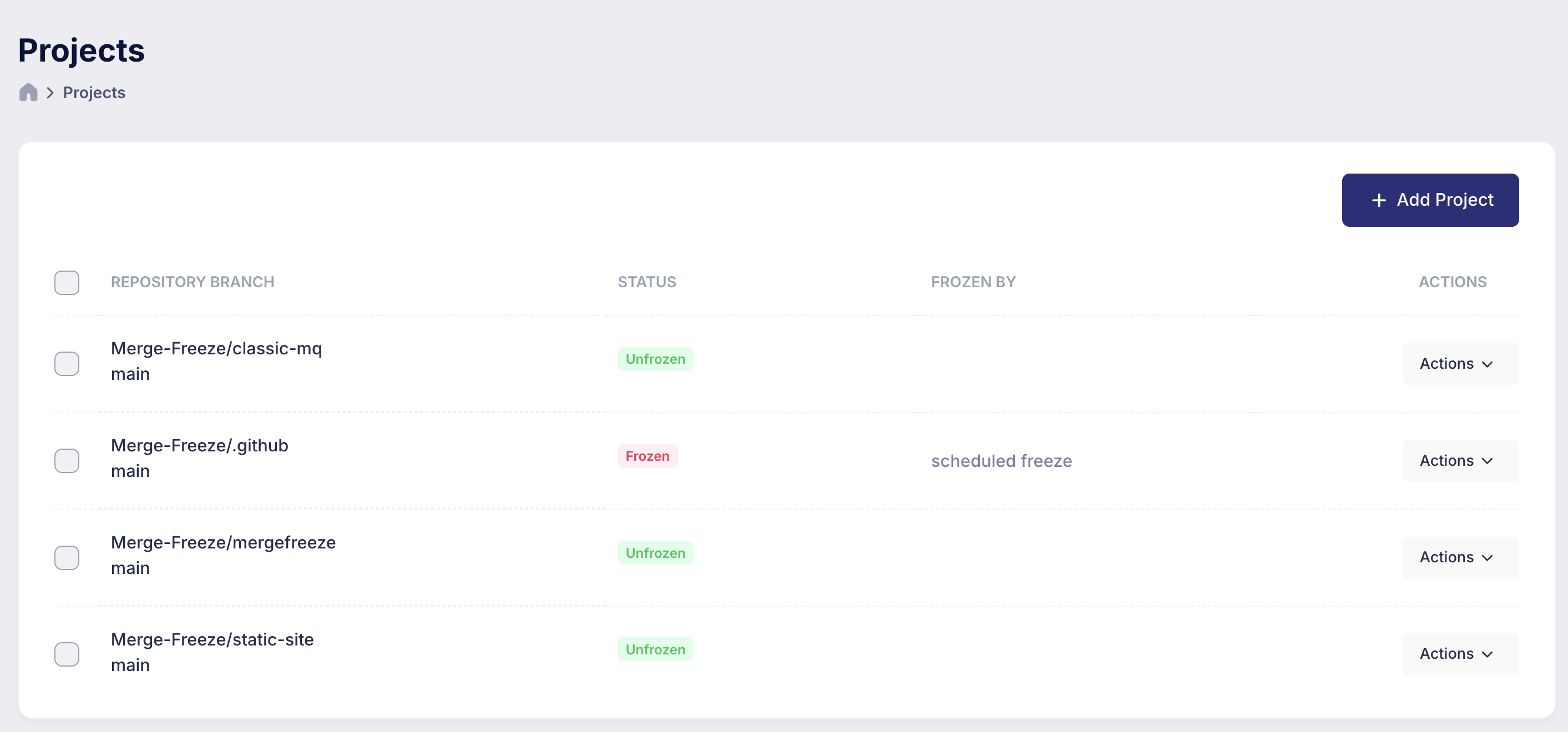
If you have only one GitHub organization installed, the organization menu stays out of the way.
One Page per Project
Each project now has its own page. Freeze or unfreeze it from the top of the page, and find everything else in its tabs:
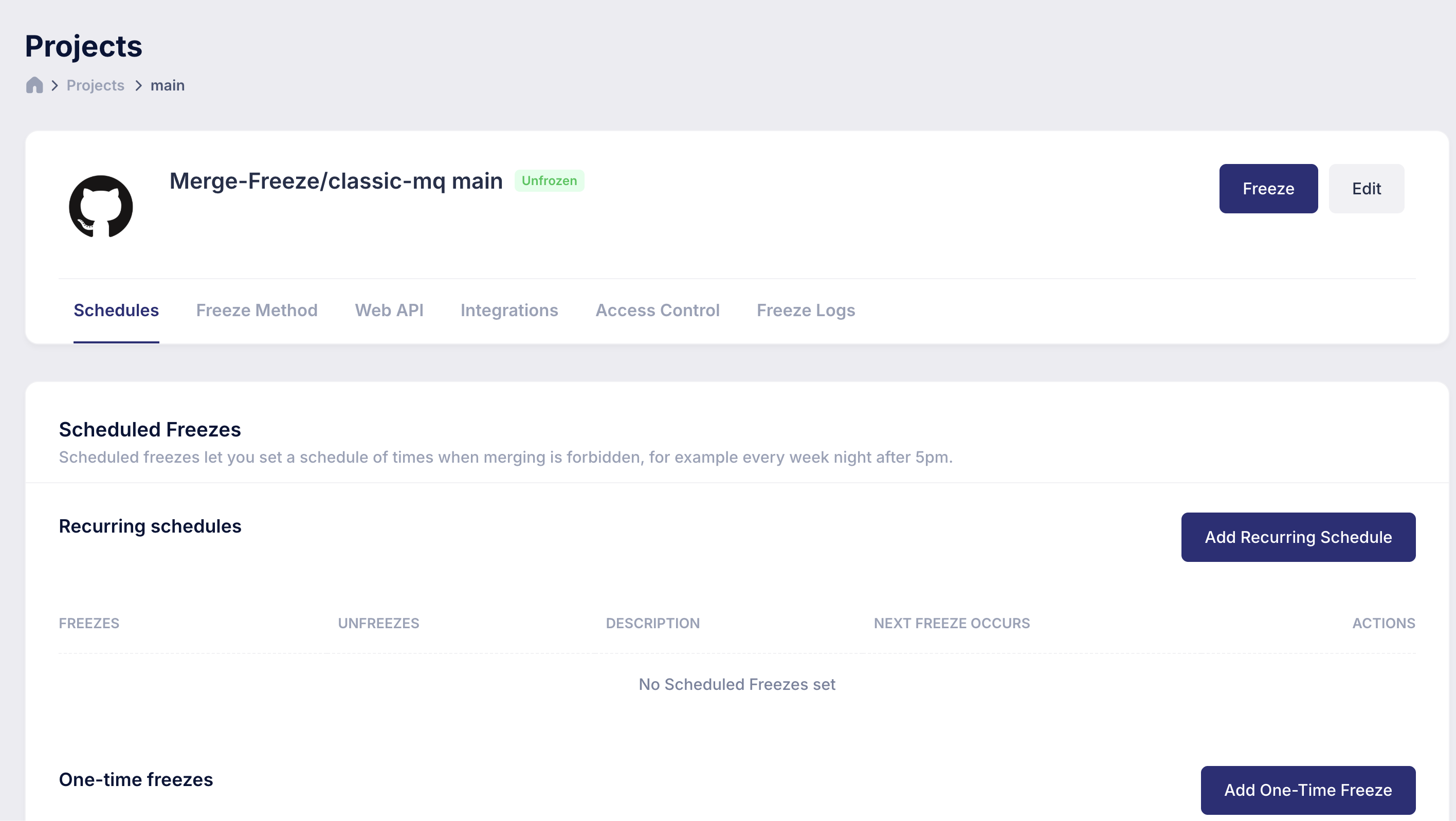
- Schedules: your recurring schedules and one-time freezes, side by side. Add, edit, or remove them in place.
- Freeze Method: choose how Merge Freeze blocks merges: pushing a status update to every PR, or toggling a branch protection rule. Each option lists its pros and cons.
- Web API: the access token and examples for controlling this project from scripts and CI.
- Integrations: Slack channels and the Mac menu plugin.
- Access Control: who can freeze and unfreeze this project.
- Freeze Logs: a history of every freeze and unfreeze, with who did it, when, how (dashboard, Slack, API, or schedule), and the note they left.
One-Time Freezes, Rebuilt
The one-time freeze form has a new date and time picker, and you can edit an upcoming one-time freeze from the Schedules tab.
Clearer Error Pages
If something goes wrong, the error pages now match the rest of the app and tell you what happened, instead of a generic message.
Questions?
We’d love to hear what you think of the new design. Write to us at hello@mergefreeze.com.